
California Department of Education Logo

IQC Student Member Application Online Submission


Instructional Quality Commission (IQC) Student Member applicants may submit application files online as an alternative to sending them via email at sbe@sbe.ca.gov.

To ensure each applicant's information are kept private, please follow these steps:

  1. Create a Microsoft account [https://signup.live.com/] External link opens in new window or tab.

    Note: If you already use or access other Microsoft online services, such as Outlook online, Teams, or SharePoint, you may skip to Step 2.
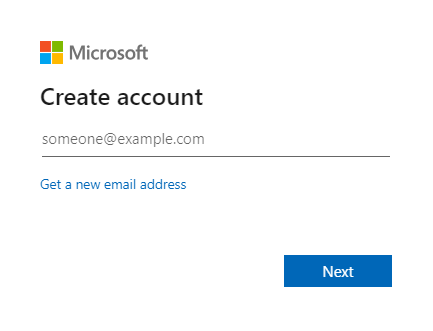
    Microsoft prompt for creating an account


  2. Browse to the 2026-27 IQC Student Member Applications SharePoint folder [https://www.cde.ca.gov/be/cc/ab/IQCSM-SubmitOnlineSP.asp] External link opens in new window or tab.


  3. Select the Request Access button when prompted.
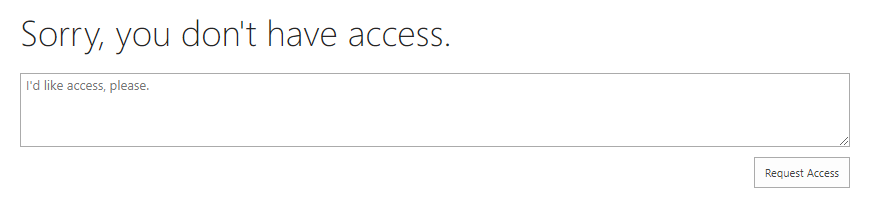
    Microsoft prompt for Sorry you dont have access with a Request Access button


  4. Check your email inbox for confirmation email. Note that it may be necessary to check your email Spam/Junk folders to find the confirmation email. Once received, select the link from Step 2.


Questions: State Board of Education | SBE@sbe.ca.gov | 916-319-0827 
Last Reviewed: Tuesday, August 19, 2025
Related Content
Recently Posted in Advisory Bodies, Commissions, Committees & Panels
  • December 2025 ACCS Meeting Agenda (added 26-Nov-2025)
    Advisory Commission on Charter Schools (ACCS) December 9, 2025, meeting notice of agenda items and attachments.
  • June 13, 2025 Meeting Minutes (added 14-Nov-2025)
    Meeting minutes of the June 13, 2025 California Practitioners Advisory Group (CPAG) meeting.